
View Historic Vessel Positions
View Historic Vessel Positions
- The white line on the Fleet map shows the historical track of each vessel.
- Click and drag the time scrubber to any point on the timeline to view the vessel’s position at that specific time.
- Specific dates/periods can be selected via the calendar icon.
- Historical tracks automatically load between the view’s start and end dates.
To view full position report history, select a vessel and open Full Details -> Details -> Position Reports
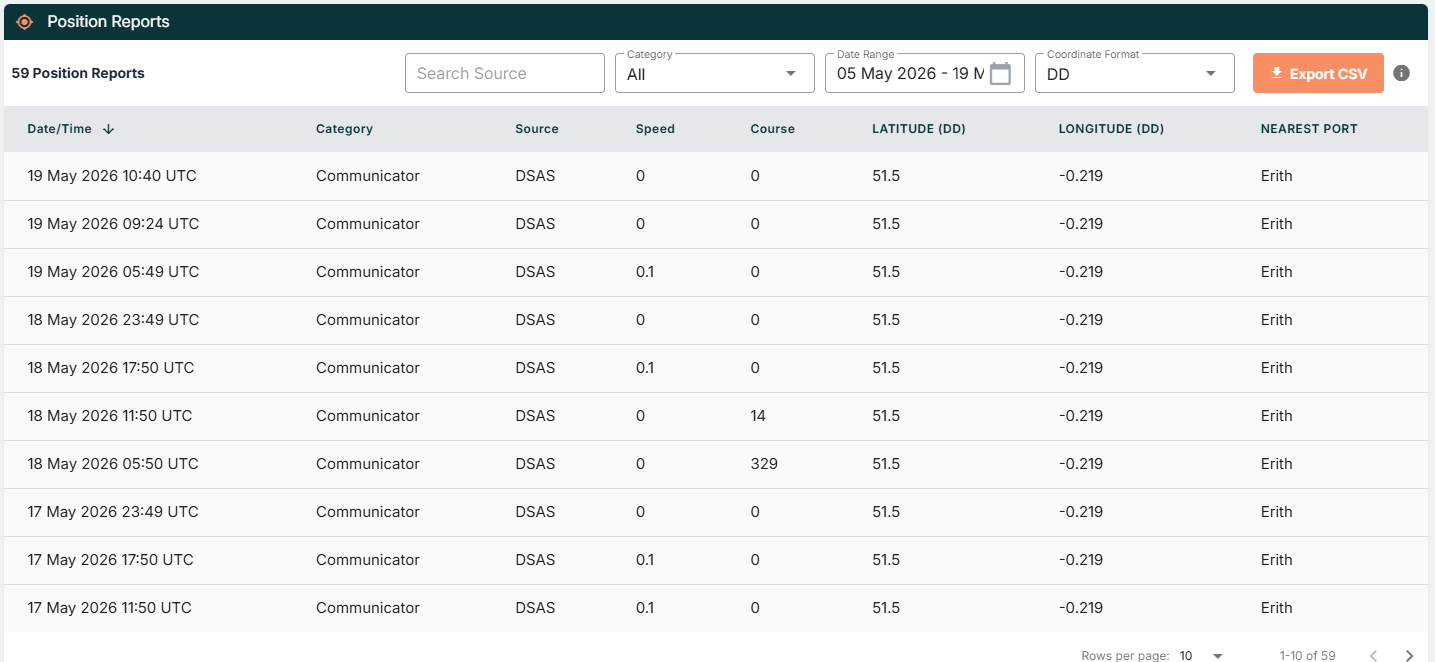
Here you can view and select any date range where required, including filtering based off positional source.