
How to Access Podium
This guide explains how to log in to the Podium platform and what to do once you’re inside.
Logging In to Podium
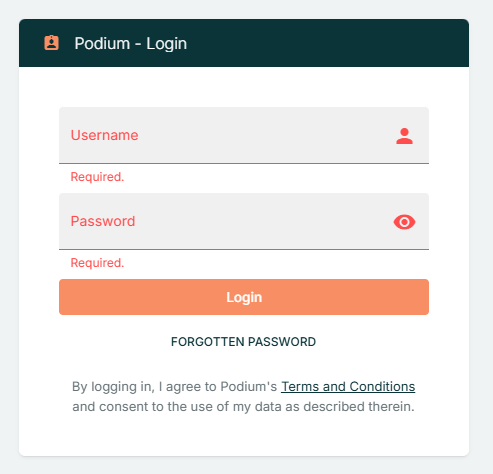
- Open the Login Page
- Go to https://podium.stratumfive.com/auth/login in your web browser.
- Enter Your Credentials
- In the Username / Email address field, enter your registered username or email.
- In the Password field, enter your secure password.
- Access the Platform
- Click the Login button to sign in to Podium.
If You Cannot Log In
If you’re having trouble signing in, try the following steps:
- Check your credentials: Make sure your username or email address and password are correct. Remove any extra spaces and check for capitalisation errors.
- Clear browser data: Clear your browser’s cache and cookies, then try logging in again.
- Try a different browser: Use another web browser (e.g., Chrome, Edge, Firefox, Safari) or update your current browser to the latest version.
- Check your internet connection: Ensure your connection is stable and active.
- VPN or firewall restrictions: If your organisation uses a VPN or firewall, confirm that it’s not blocking access to the Podium site.
- Forgotten password: Click the Forgotten Password link on the login page to reset your password. (Passwords cannot be changed within Podium and must be reset using this link.)
- Persistent issues: If problems continue, contact your organisation’s IT or admin team and include any error messages displayed on screen.
After Logging In
Once you’ve successfully logged in, you’ll be directed to the Fleet View. Here’s what you can do based on your user role:
- Fleet View Overview:
Displays your assigned vessels and provides access to vessel details, tracking data, and SSAS alerts. - Admin Users:
Access Organisation Settings via the profile menu (top right corner) to manage users, vessels, and account configuration. - Editor Users:
Edit vessel details and configurations, and access custom Views for monitoring or analysis. - Viewer Users:
View the Fleet page and vessel data but cannot make any configuration changes.
Logging Out
When you’re finished, select Logout from the profile menu to securely end your session and protect your account.